.png)

Platform Comparison Matrix
|

|
|
|
| Native HubSpot Registration Experience | ||
| Ability to Add Multiple Sessions per Event | ||
| Unique Registration Records | ||
| Trigger Workflow Registrations | contact-based only | |
| Customizable Event Data & Associations |
||
| Event Record Customization | ||
| Custom UI Cards & Reports | ||
| Dynamic Content Support |
||
| HubSpot CMS Theme Included | ||
| Attendance Tracking | ||
| Trade Show & Conference Lead Capture Capability | ||
| Multi-Guest Registration |
||
| QR Code Check-In |
||
| HubSpot Payments Integration |
||
| Paid Tickets Functionality | coming soon! | |
| Prevent Registration When Capacity Is Full |
via embed code | |
| AI Lead Enrichment |
||
| Track Event ROI & Automatic Deal Attribution |


hapily provides custom objects for events, sessions, registrants, speakers, and sponsors giving you complete control over reporting, automation, and long-term data integrity.
.png)
.png)
SimpleEvents.io relies on HubSpot's Marketing Events object and contact fields, which limits customization and prevents you from using workflows at the event level.
.png)
YES! Build forms, dynamic pages, emails, workflows, segments, and campaigns in a few clicks with our easy-to-use Event Builder using your own branded assets.
.png)
.png)
.png)
PARTIALLY. It creates basic assets but doesn’t offer CMS modules or dynamic options, and registration depends on using the exact form it creates.
.png)
YES! It includes a customizable CMS theme with modules for calendars, session selection, listings, and dynamic event content.
.png)
.png)

NO. SimpleEvents.io generates simple landing and thank you pages, but does not not include a customizable CMS theme nor support dynamic CMS modules.
YES! HubSpot Payments triggers automatic registrations today, and paid ticketing functionality is coming soon.
YES! It supports HubSpot Payments but without deeper event configuration or flexibility.
YES! Associate events with literally anything in HubSpot, including custom objects.
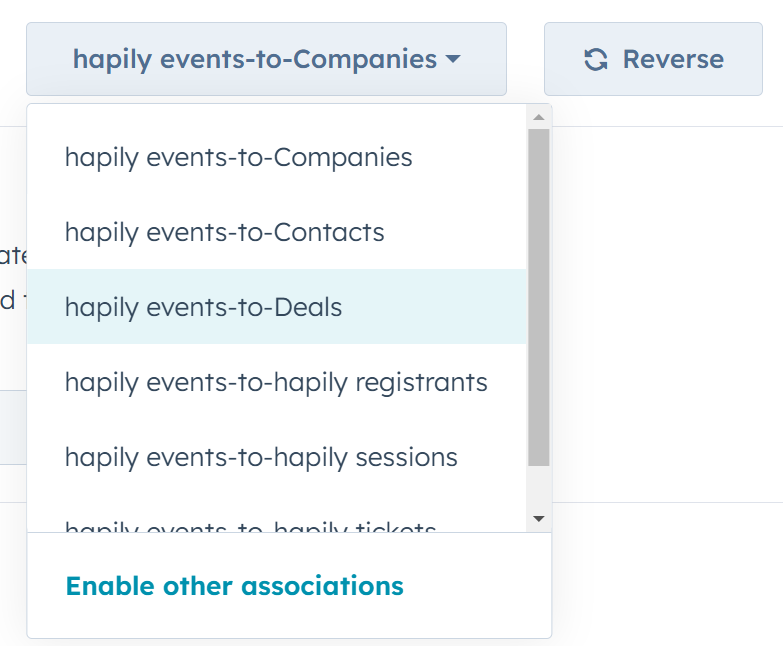
NO. You're limited to the Marketing Event object — nothing else.
YES! Customize the layout just like any other standard or custom HubSpot object.
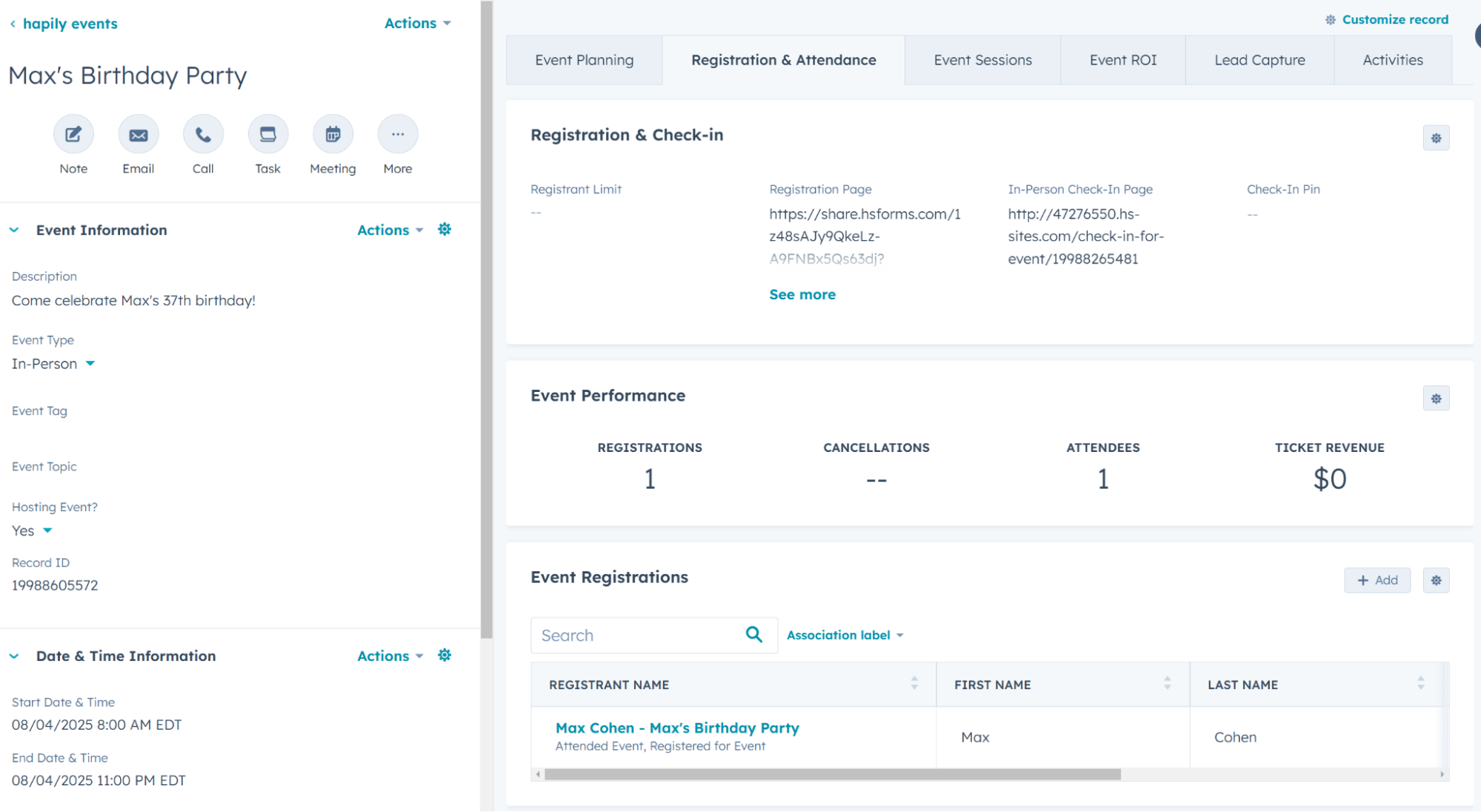
NO. There is no custom event record, users are locked into the standard HubSpot Marketing Events object
YES! Easily visualize registrations over time and track key event metrics.
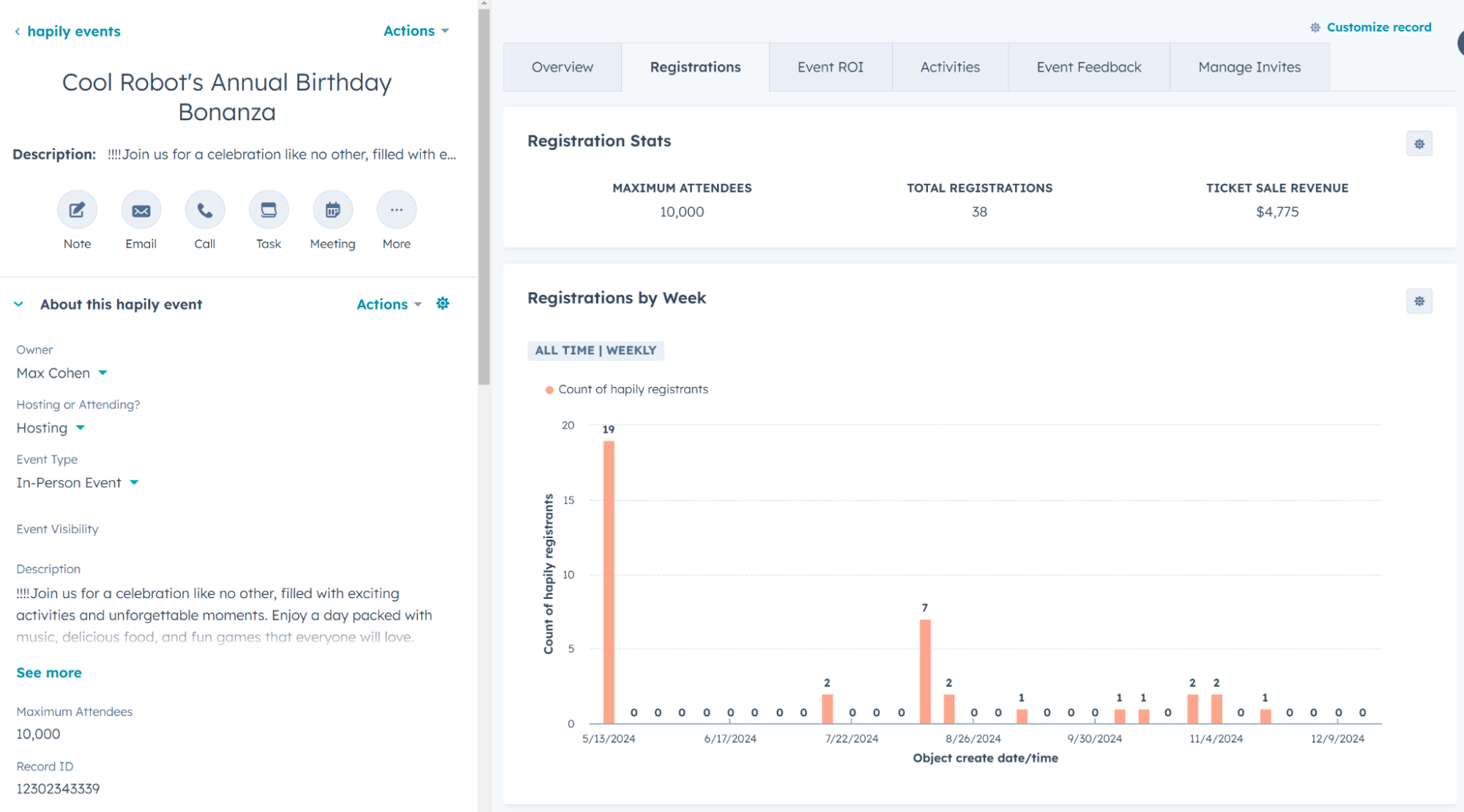
NO. Limited to Marketing Event object view.
YES! Confirmation emails use registrant records, ensuring accurate personalization even when contacts register for multiple events.
.png)
.png)
YES! Capacity controls stop registrations when an event is full and support optional waitlists without extra setup.
.png)
.png)
.png)
.png)
YES! hapily's registration form module supports multiple registrations with customizable limits and creates or updates additional contacts AND registration records in HubSpot
.png)
.png)
.png)
.png)
YES! It supports permanent QR codes for event and session check-ins and displays customizable attendee details on scan.
.png)
.png)
.png)
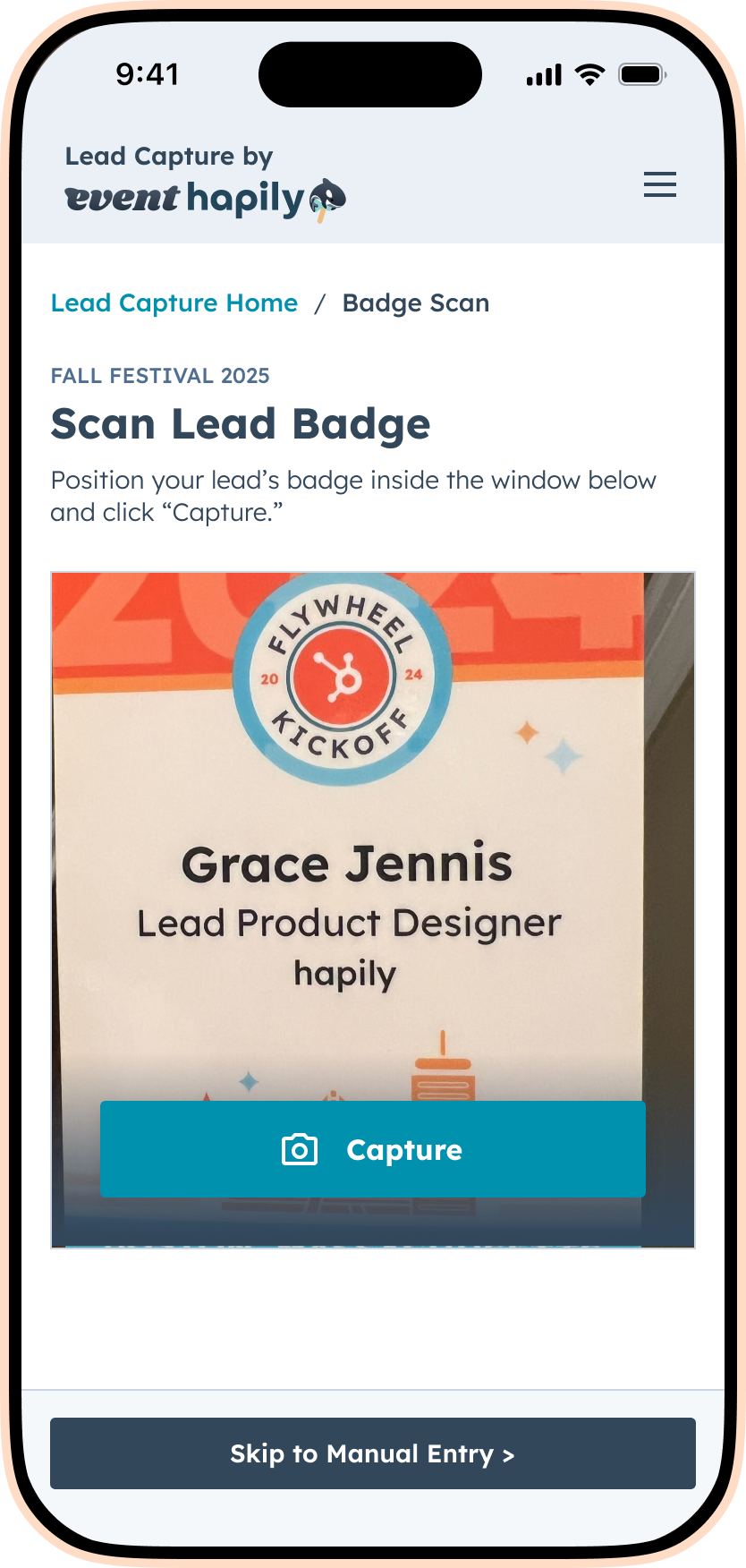
YES! It includes a dedicated mobile app that scans badges and business cards, enriches data with AI, and syncs everything to HubSpot instantly.
YES! Deal-based workflows automatically attribute revenue to the correct event, giving you reliable ROI reporting without relying on reps to flag where a deal came from.
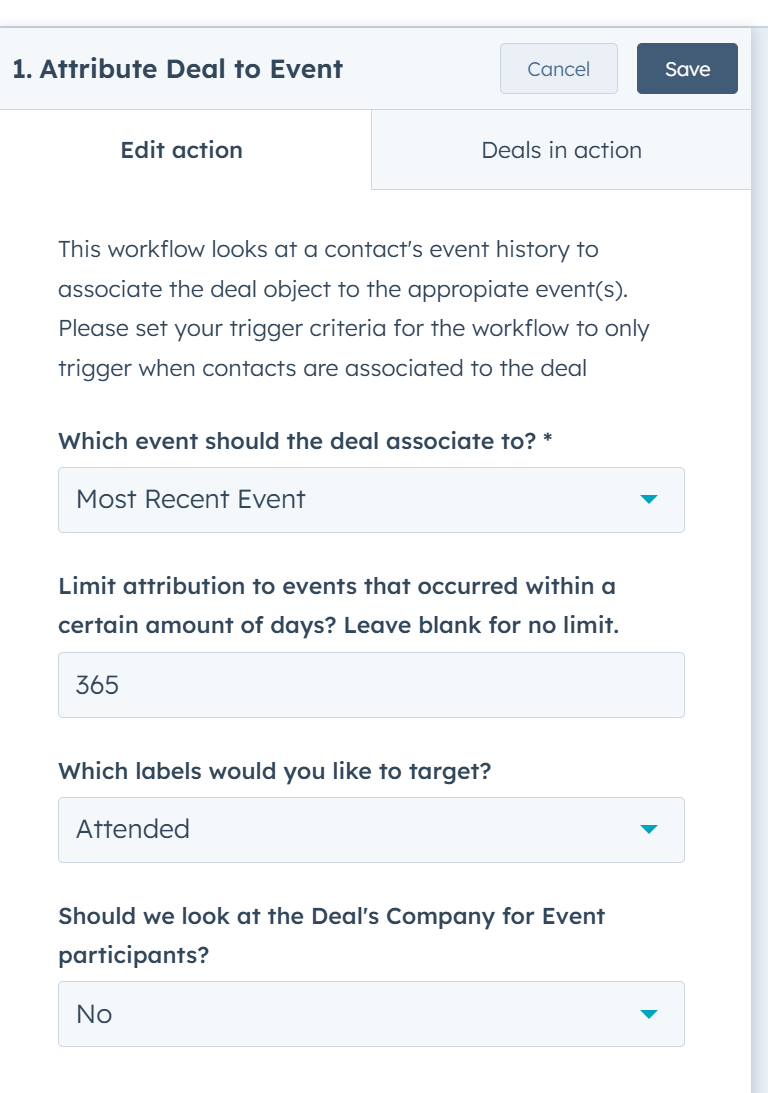
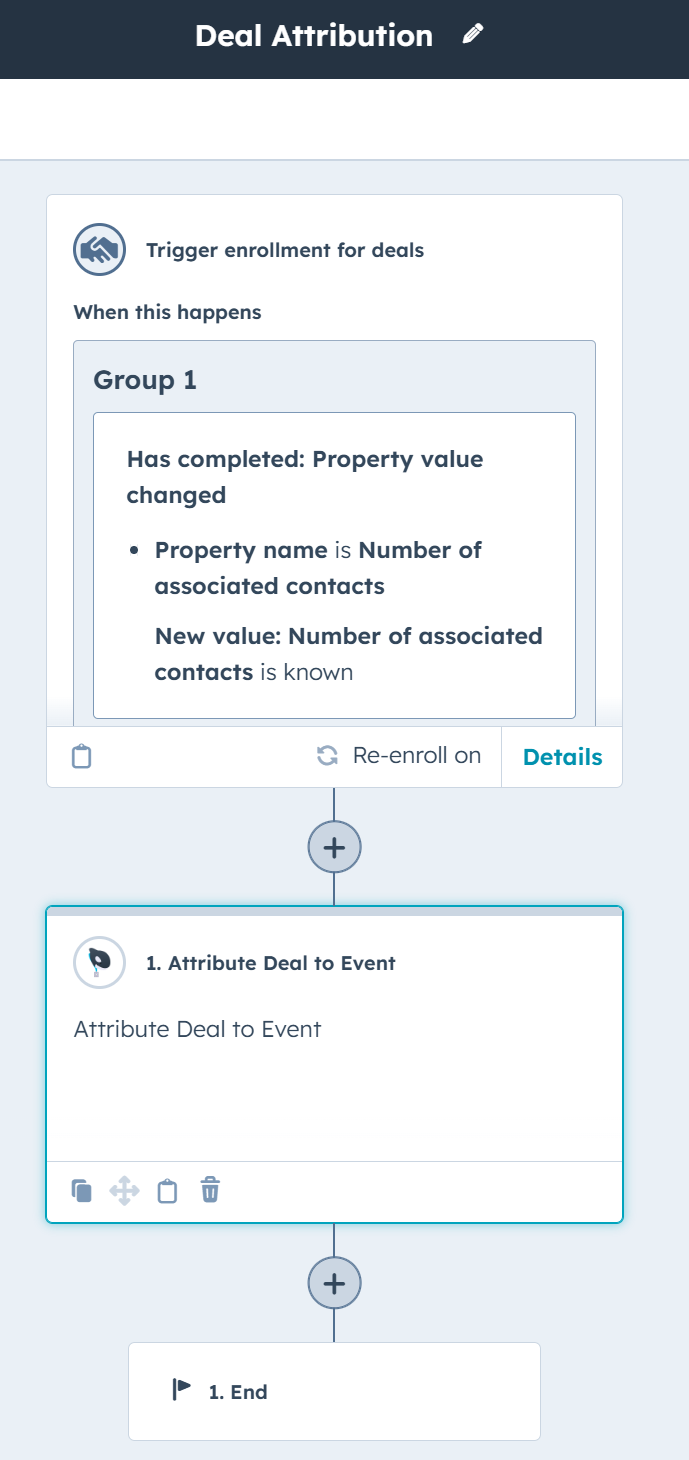
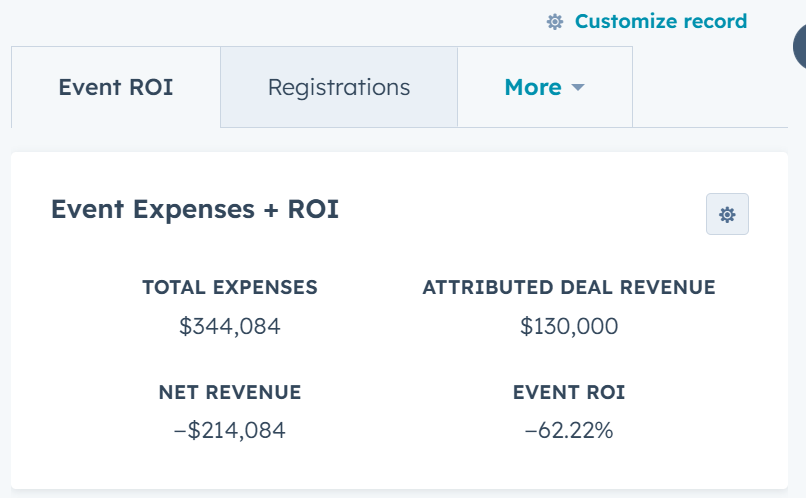
YES! Thanks to our object-based data model, event-level ROI is fully automated and easy to surface in dashboards across all your events.
.png)
.png)
YES! Every event, registration, session, speaker, and sponsor is stored as its own object, making custom performance reporting easy, scalable, and reusable across all your events.
.png)
You can automate confirmations, reminders, post-event outreach, speaker and sponsor workflows, and more using custom objects.
.png)
.png)




.jpg)
Elevate Your Arrival Flow with Post-Check-In Alerts
Enhance your event’s first impression with Post-Check-In Alerts, a simple upgrade that surfaces the right details at the right time for smo...


Understanding Data Security in event•hapily
A clear overview of how event•hapily manages customer data security, from access controls to storage, processing, and GDPR compliance.

.png)
How Enriched Lead Data Strengthens Your Post-Event Strategy
Capturing leads is easy, but enriching them is where the magic happens. event•hapily's AI- Powered Mobile Lead Capture app enriches every s...