
Turning this setting on allows new contacts created by hapily to be created as marketing contacts, which means they can be used for marketing email sends and ad audiences in HubSpot.
Before you begin
There are a few important things to know before enabling this setting:
- You must have the appropriate Marketing contacts permissions in HubSpot.
- This setting only applies to new contacts created after the toggle is turned on.
- Existing contacts will not be changed automatically.
- Any new contacts created as marketing contacts will count toward your billable marketing contact tier in HubSpot.
How to turn on marketing contacts for hapily
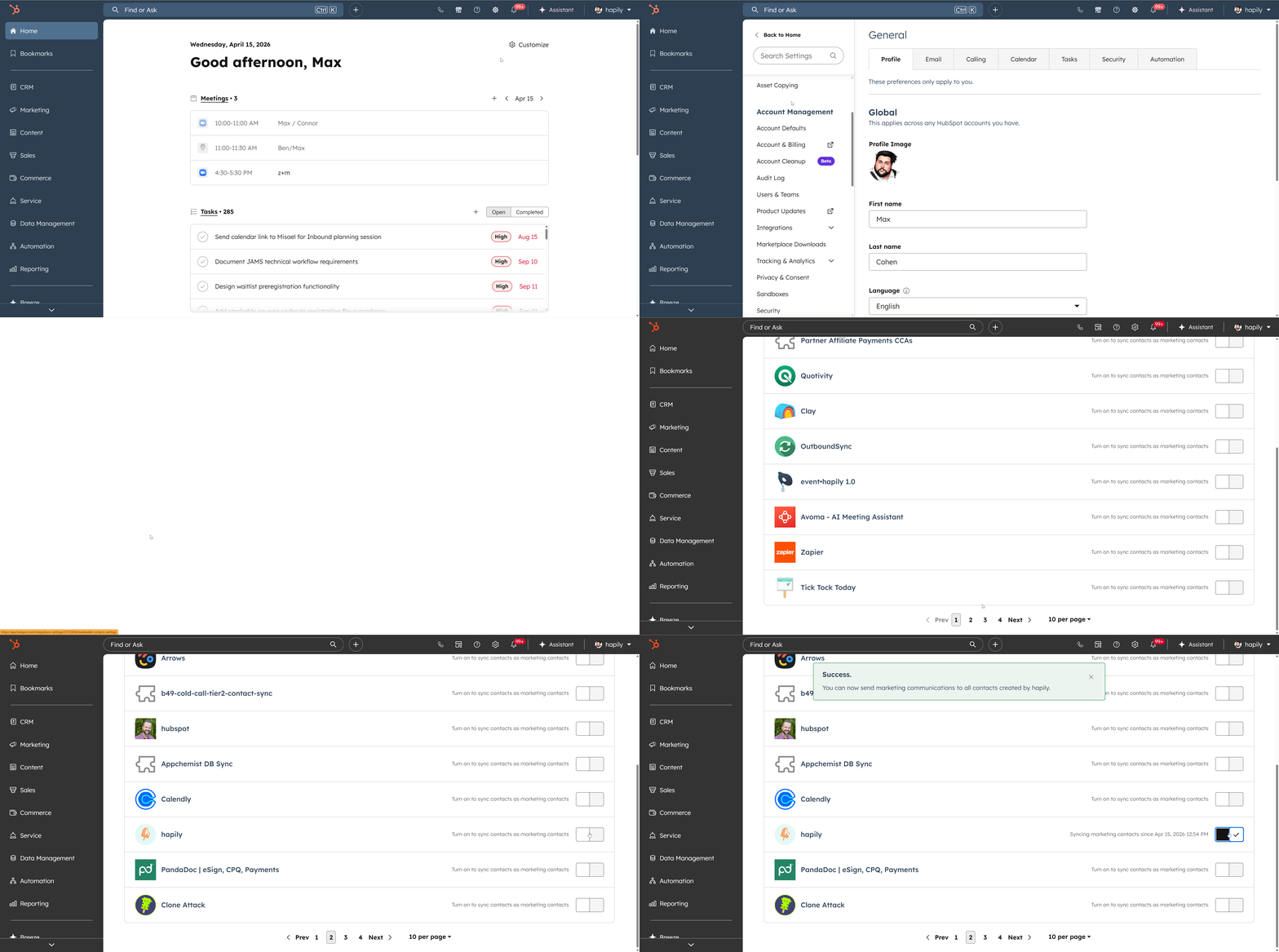
- In HubSpot, click the Settings icon in the top navigation.
- In the left sidebar, go to Integrations.
- Click Marketing Contacts.
- In the Your connected apps section, find hapily.
- Turn on the toggle for hapily.
Once this toggle is enabled, any new contacts created by hapily in HubSpot will be created as marketing contacts.
Important notes
- This only affects future contacts created by hapily.
- Contacts that already exist in HubSpot will remain unchanged.
- If you need existing hapily-created contacts to become marketing contacts, they will need to be updated separately in HubSpot, either manually in bulk or through a workflow.
When should you turn this on?
You may want to enable this setting if you plan to use contacts created by hapily for things like:
- Marketing email campaigns
- Audience segmentation
- Ad targeting
- Event follow-up campaigns run through HubSpot
If you do not need hapily-created contacts for marketing purposes, you may prefer to leave this setting off to help manage your marketing contact count.